Travel data for your whole team, managed in one place.
Build your own eSIM packages, send them to your team by email, and follow every megabyte as it is used. Your travellers land connected, and you keep one balance and one invoice.




Everything an office manager needs. Nothing an IT team has to set up.
Your own packages
Choose the countries, data, days and speed. Everything is shown before you confirm.
Send by email in seconds
Type a name or an email. The traveller installs with one tap before take-off.
Usage as it happens
A full usage log with country, megabytes and time, plus who has not installed yet.
Pause any eSIM
Suspend an eSIM with one click when a trip is cancelled, and resume it just as fast.
One balance, one invoice
Prepaid credit by bank transfer or card, and a monthly statement for your accounts team.
In the Zwitchy app
Employees see their company eSIM in the app and on the website, clearly marked.
Budgets that warn or pause
Give a department or a person a monthly budget. Admins get an email at 80% and 100%, and you choose whether eSIMs keep working or pause.
Access for each person
Let finance see billing and a developer use the API, without making them admins. One owner keeps control of the account.
One link for a whole team
Share a link for an offsite or an event. Each person enters their work email and gets their eSIM.
Up and running in a day



Inside the dashboard
How it works, screen by screen
- 1
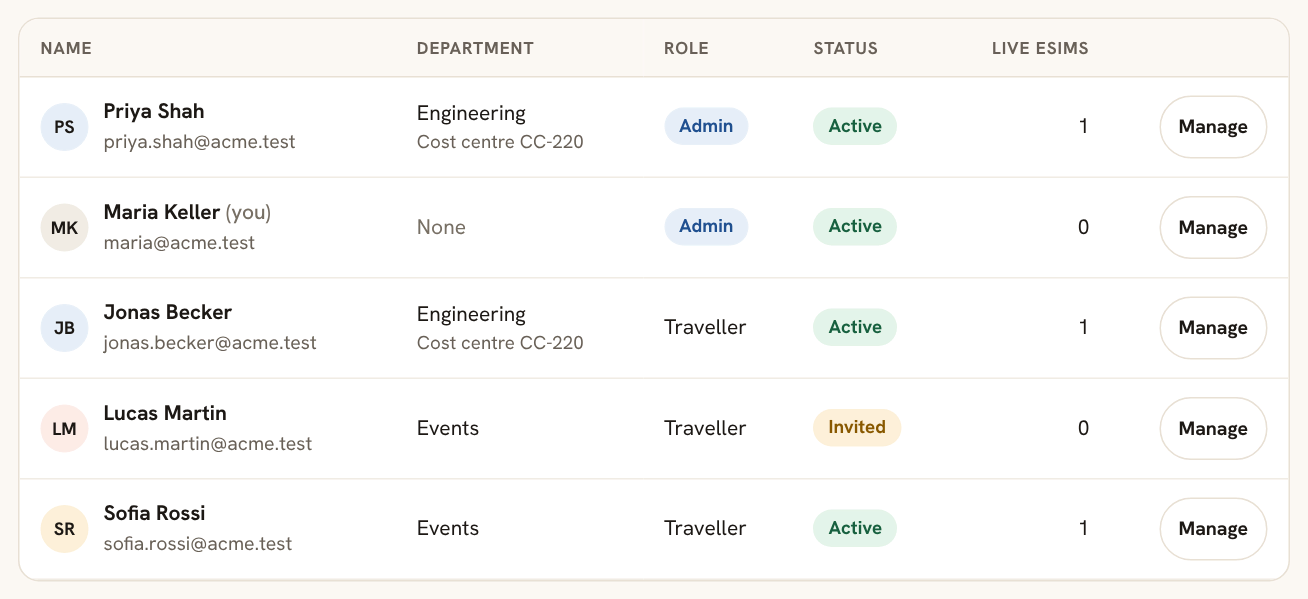
Invite your team
Add the people who travel, one at a time or as a pasted list. Sort them into departments and cost centres, and choose what each person can see and do in the dashboard.
- 2
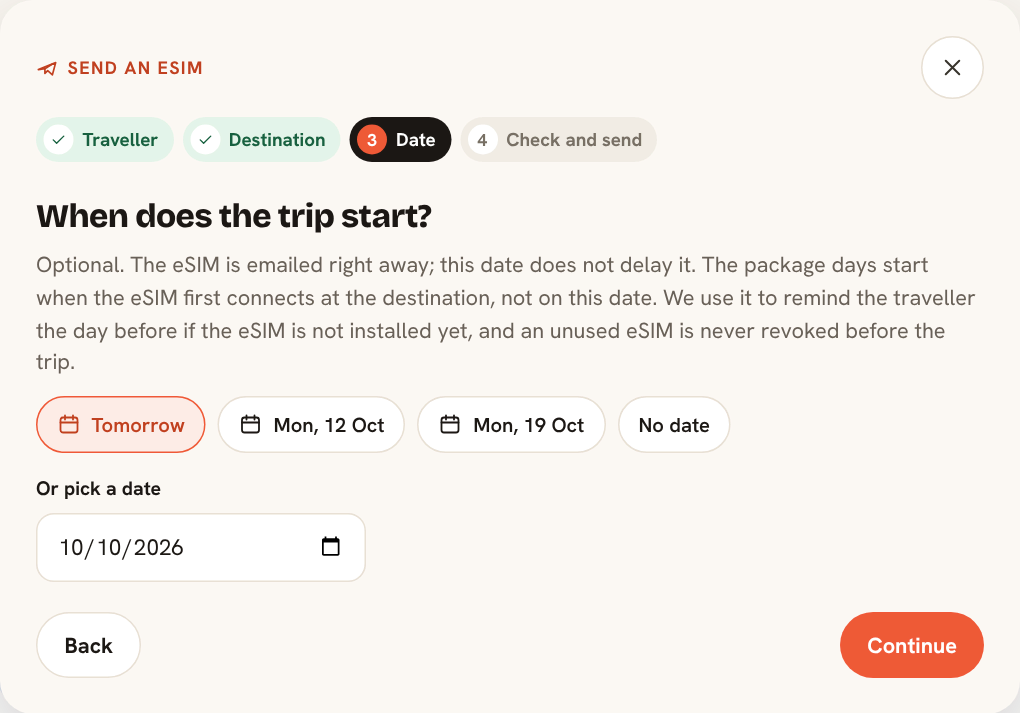
Send an eSIM in four steps
Pick the traveller, the country and a package, then the trip date. The eSIM goes out by email straight away, and its days only start when it first connects at the destination.
- 3
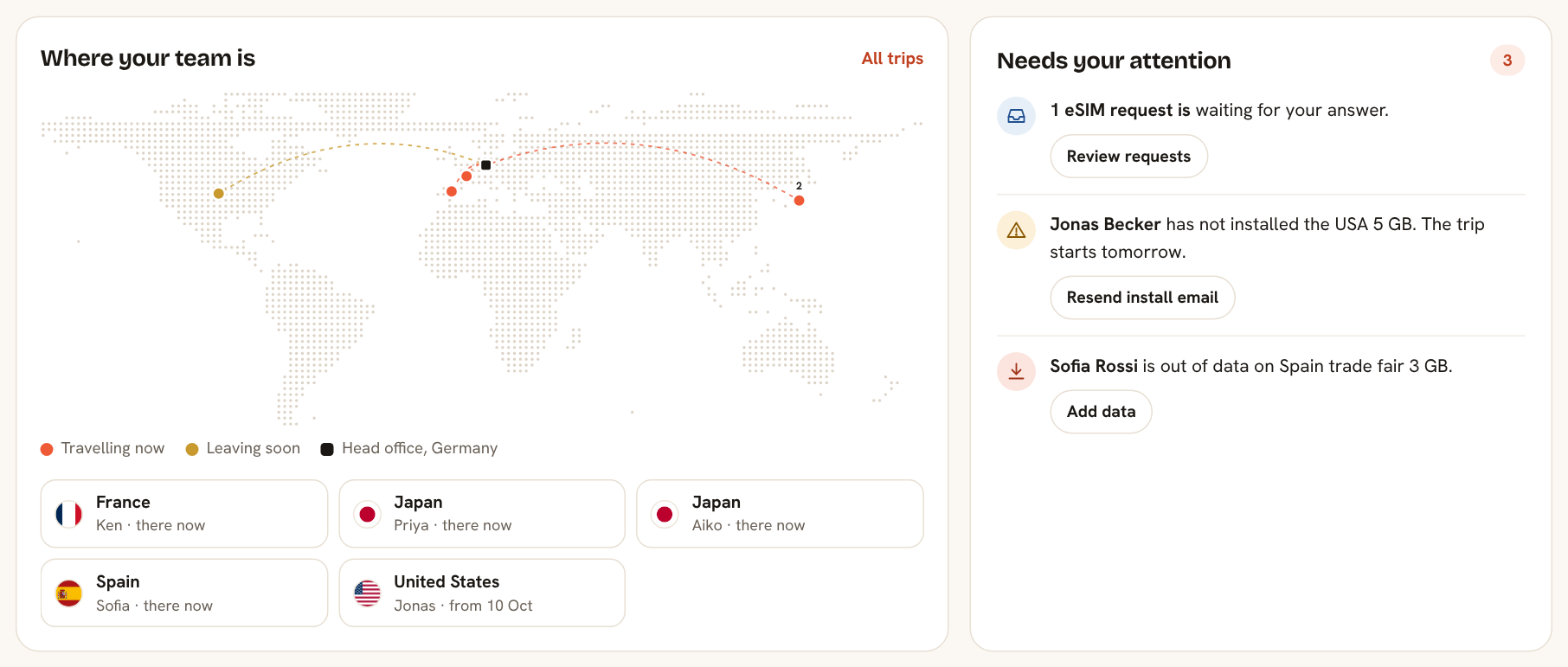
See where everyone is
Your home page maps who is abroad and who leaves soon, and lists what needs you: an eSIM not installed before a trip, someone out of data, a request waiting.
- 4
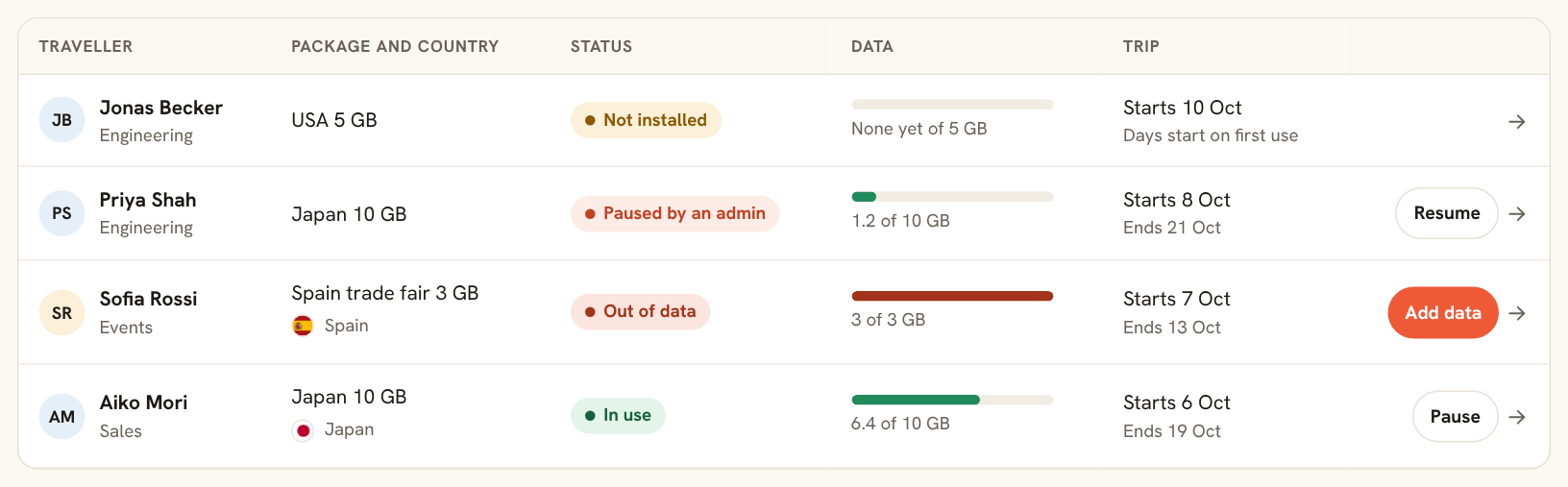
Follow every trip
Each eSIM shows its status, live data use and trip dates. Add data, pause or resume right from the list.
- 5
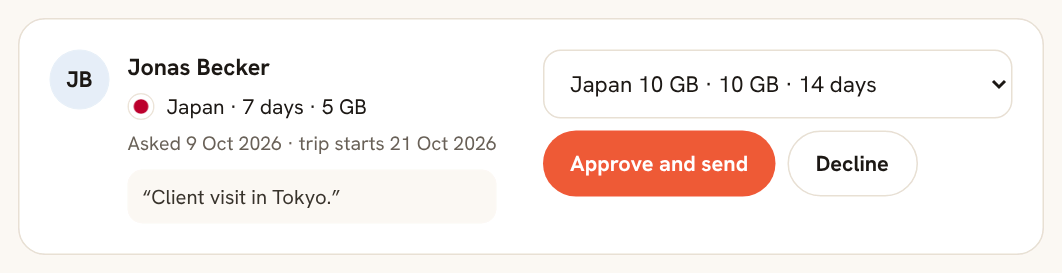
Approve requests from travellers
Your travellers ask for an eSIM from their own page. You pick the package and approve, or turn on auto-approve.
Lighter footprint
Every eSIM is one plastic SIM card that never gets made.
Your dashboard counts the plastic SIMs and the CO2 your team has avoided, and gives you a yearly statement with our method and source for your sustainability report.
Compared with a physical travel SIM. Source: independent lifecycle study by Fraunhofer IZM for Giesecke+Devrient (229 g CO2e for a SIM card, 123 g for an eSIM). How we calculate this
Consultancies and agencies
Client-site teams land connected, and every euro is traceable to a person.
Distributed teams
Offsites and workations without anyone hunting for a local SIM at the airport.
Field and production crews
Shoots and surveys in 180+ countries, paid from one balance.
Ready for procurement
The paperwork your finance and legal teams ask for, already done.
Business terms and a data processing agreement you sign online, invoices that carry your VAT ID, and payments handled by Stripe. Need a countersigned copy for your files? We send one for e-signature.
Business terms and DPA
Signed online by your admin, with a PDF copy for your files. Written for companies, not for one-off shoppers.
Data hosted in the EU
Your company and traveller data is stored in the EU, in a database in Ireland, and covered by the DPA you sign.
Payment by card or bank transfer
Card details never touch our servers. Bank transfers in EUR with a reference on every top-up invoice.
Invoices finance accepts
Your company name, address and VAT ID on every invoice, reverse charge for EU companies, and a monthly statement.
Single sign-on on request
Your people sign in with Okta, Microsoft Entra ID, Google Workspace or any other SAML provider. Optional, and we set it up together with your IT team.


Read the business terms and DPADownload the getting started guide (PDF, in English)
Questions companies ask
Once approved, create your Zwitchy account with the same email you used here, and your company dashboard opens with everything you need, including how pricing works.
Request access
Use the email you want to sign in with: once approved, you create your Zwitchy account with that same address.
Already approved? Sign in to your dashboard
Questions before you apply? Email us at [email protected].