eSIM code no longer valid? What it means and fixes
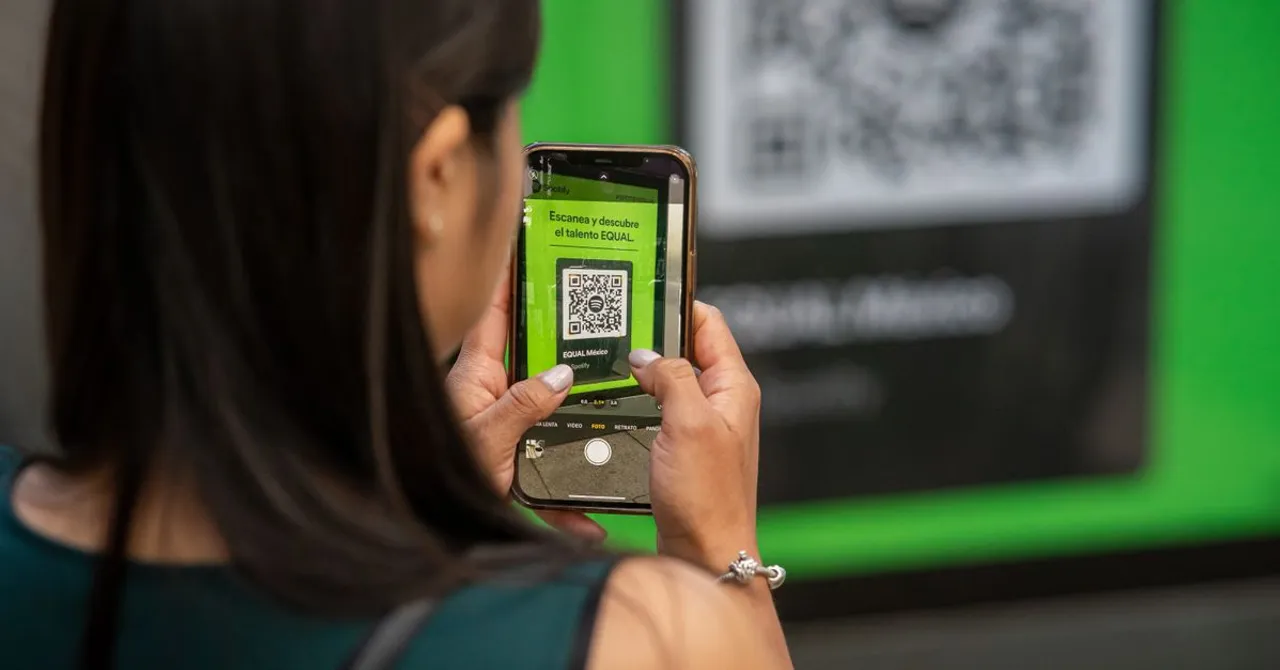
It almost always means the code has already done its job: the eSIM downloaded once, so the same QR code or install link is refused. Check Settings > Cellular on iPhone, or the SIM list on Android, before anything else. If the line is there, switch it on. Don't delete it to retry.
Contents
You tap Install, or scan the QR code again, and the phone stops you: the eSIM can't be added because the code is no longer valid. It reads like a broken eSIM. In most cases it's the opposite. The first attempt worked, the eSIM is already on your phone, and the second attempt is being turned away because an eSIM code is built to work once.
Most of the time it follows the same pattern: the eSIM had already installed, the traveller wasn't sure it had, and they tapped Install or scanned the QR code a second time. This guide explains what the message means, how to check in a minute whether your eSIM is already there, and what to do in the rarer cases where it really isn't.
What the message says
On iPhone the alert is titled eSIM Cannot Be Added, followed by “This code is no longer valid” and a line telling you to contact your carrier (or your network provider, on UK English settings). One UK customer quoted it in full on iD Mobile's community forum in December 2025: “eSIM cannot be added. The code is no longer valid. Contact your network provider.” The same short form, “This code is no longer valid”, comes up in Apple's own community forum on iOS 18.
Android phones word it differently depending on the maker and the Android version. Pixel and Samsung phones don't share one standard message, so you may see a general line saying the eSIM couldn't be added or downloaded rather than anything about the code. The cause and the fix are the same either way, and for a travel eSIM “your carrier” means us, the seller of the eSIM, not your home network.
Why an eSIM code only works once
Every eSIM QR code, one-tap install link and pair of manual details carries the same thing: an address for a provisioning server (the SM-DP+) and an activation code that points to one specific eSIM profile. When your phone redeems it, the server hands the profile over and records that it has gone. The rules for this come from the GSMA, the mobile industry body, in its remote provisioning specification SGP.22. It tracks each profile through states such as Released (ready to download), Downloaded and Installed, and the path only runs forward: nothing in that lifecycle sends an installed profile back to Released for a second download.
The Profile was successfully installed on the eUICC.
That is a security feature. If a code could be redeemed again and again, anyone who photographed your QR code could put your plan on their phone. So once a profile has gone to a phone, the code that delivered it stops working for everyone, including you. The specification does allow an operator to set up a separate re-download process, but that is an optional extra, not something a standard travel eSIM QR code does.
Our QR code, the one-tap install links and the manual SM-DP+ address and activation code are three ways into the same single download. Use one, and all three are spent. Our one-tap install guide explains how they fit together.
First, check whether the eSIM is already on your phone
This is the step that solves most cases, and it takes under a minute. Don't scan, tap or delete anything until you have done it.
- iPhone: open Settings > Cellular (Mobile Data or Mobile Service, depending on your region and iOS version). Look under the list of plans for a second line.
- Google Pixel and most Android phones: Settings > Network & internet > SIMs.
- Samsung Galaxy: Settings > Connections > SIM manager, the path Samsung's own eSIM guide uses.
The new line won't necessarily say Zwitchy. iPhones ask you to label a new plan, and Apple's Dual SIM guide gives Business and Personal as examples, so yours might be called Travel, Secondary, a phone number, the plan name, or whatever you typed during setup. Our install steps suggest “Zwitchy Travel”, but plenty of people tap past that screen. If you see a line you didn't have before the trip, that's almost certainly it.
If the line is there, the install worked. Switch it on, turn on Data Roaming for that line when you're at your destination, and choose it for mobile data. Our guide to Dual SIM line settings has the exact taps, and eSIM won't connect covers what to do if it's on but not connecting.
Your Zwitchy account gives a second opinion. Open the eSIM in My account on the website, or the eSIMs tab in the app, and look at its status. The app only offers an Install button while an eSIM still reads Ready to install.
| Status in your Zwitchy account | What it means | What to do |
|---|---|---|
| Installed | The profile is on a phone but not switched on yet | Find the line in Settings and switch it on. Don't reinstall |
| On or Off | It's on a phone; Off means the line is switched off on the device | Turn the line on in Settings and check Data Roaming |
| Removed | The profile was deleted from the phone | Contact support from your order. The old code won't reinstall it |
| Ready to install | We haven't seen a download yet | The code may still be good. Retry once on stable Wi-Fi, then contact support with the error |
Statuses can take a little while to catch up after an install, so treat a fresh Ready to install with some caution if you have only just scanned. What you see in your phone's Settings is the stronger evidence.
The ways people end up with a spent code
- Tapping Install or scanning again after it worked. The most common by far. iPhones in particular can finish the install with a single quiet confirmation, and the new line can sit there switched off, so it's easy to think nothing happened. A second tap, a second scan or opening the install link from the email afterwards all hit a code that's already been used.
- Installing on one phone, then trying another. A profile goes to one device. If you scanned the QR code with your work phone, a partner's phone or an old phone first, it lives there now, and the phone you meant to use gets the error. Moving it is a different job, covered in how to transfer your eSIM to a new phone.
- A download that was interrupted. Weak Wi-Fi, a captive portal or a VPN can cut a download partway. Sometimes the eSIM still lands and shows in Settings as installed but inactive; sometimes nothing appears at all but the code has already been claimed. Why is my eSIM stuck installing? covers stalled installs.
- Deleting the eSIM, then trying the code again. Removing an installed eSIM, or using Delete All eSIMs or a full reset, takes the profile off the phone, and the old code usually can't put it back. A new eSIM is needed.
- Waiting too long to install. Each plan has an activation window, shown on its plan page. An eSIM left uninstalled past it can stop accepting the code. Most trips never get near it.
What to do, in order
- Stop scanning and tapping. Repeating the same code won't change the answer and only adds more failed attempts to sort through.
- Check Settings for a line you didn't have before (the section above). If it's there, switch it on and you're done.
- Check the eSIM's status in your Zwitchy account or app.
- If the status is still Ready to install and there's no new line in Settings, restart the phone, get onto fast, stable Wi-Fi without a VPN, and try once more with a different method: if you scanned, try the one-tap link on the phone itself, or the manual details. Our guides to installing without a QR code and a QR code that won't scan walk through both.
- If that also fails, or the status says Removed, contact support from your order with the exact error text and a screenshot.
Don't delete an installed eSIM to “start fresh”. Unlike an app, an eSIM doesn't come back from the same code. Deleting it is the one step that can turn a two-second fix (switching a line on) into needing a replacement.
Apple gives the same advice for every eSIM, not just travel ones, in its guide to erasing an eSIM.
Don't erase an eSIM as a troubleshooting step unless directed to by your carrier. If you erase an eSIM, you'll need to contact your carrier to get a new one.
Android carriers say much the same. Verizon's Pixel guide, for one, notes that if the eSIM profile is removed from the device, you'll need to contact Verizon to have a new eSIM profile reserved.
One code, one phone: the Install button explained
Wherever your eSIM appears, in the order email, on the eSIM's page in your account and in the app, you get the same few ways to install it: a QR code to scan with the phone you're setting up, one-tap install links for iPhone (iOS 17.4 or later) and Android (10 or later) to tap on that phone itself, and the SM-DP+ address and activation code to type in by hand. In the app, the Install button hands the same details to your phone's own eSIM installer.
They all redeem the same single code. So the QR code still showing on the order page after you've installed isn't an invitation to scan again; it stays there because that page is your record of the eSIM. Once the eSIM is on your phone, everything else you need, such as checking data or topping up, happens without reinstalling.
When you need a new eSIM
Sometimes the code really is spent and the eSIM isn't on your phone: it was deleted, a download failed after the code was claimed, or it went to the wrong phone. Then the fix is a replacement eSIM with a new code, and whether we can issue one depends on the case.
In general, a replacement is possible when the original eSIM was never used: it never connected to a network abroad and used no data. In that case we can often send a new one for the same plan. For an eligible eSIM you can request it yourself: find the eSIM in My account on the website, or open it in the app, and tap Request refund, and if it qualifies the first thing you'll see is an offer titled “Couldn't install it? Get a new eSIM instead”. It works once per order, within 30 days of purchase, and only after you confirm.
- Your current eSIM stops working for good once the new one is issued, so only do this when the old one really can't be used.
- The new eSIM appears in your account and the app's eSIMs tab straight away, and arrives by email.
- Install it over Wi-Fi, on the phone you're travelling with, and only once.
If you don't see the offer, the eSIM may not qualify, or it may simply need a person to look at it. An eSIM that has already connected or used data, one that has been replaced once already, or anything unusual goes to our support team, who check the order and the eSIM's history and tell you what's possible. Contact support from your order page or live chat, and include:
- Your order number, or the email you bought with.
- The exact error text, ideally a screenshot of it.
- Your phone model, and whether a new line shows in Settings.
- Whether you installed on another phone or deleted an eSIM at any point.
Not at your destination yet? An eSIM that shows as installed but hasn't connected is normal until you land and turn on Data Roaming for it. That isn't a reason to ask for a new one.
On arrival day, in Egypt or anywhere else
The same mix-up often starts on arrival: people check their eSIM for the first time on the plane or in the arrivals hall, see no signal, and assume the install didn't happen. Install at home on Wi-Fi, then confirm it once in Settings before you fly, so you know what your line is called. On landing, switch the line on, turn on Data Roaming for it and select it for mobile data. Our Egypt guide covers networks and the phone rules for visitors, and Egypt plans run from 1 GB to unlimited.
Avoid it next time
- Install before you fly, on home Wi-Fi with any VPN off. Installing doesn't start the plan.
- Install once, then check Settings, instead of tapping Install again to “make sure”.
- Give the new line a name you'll recognise when the phone asks, such as Travel.
- Install on the phone you're travelling with. If you're getting a new phone before the trip, install after you've switched.
- Never delete a travel eSIM mid-trip to fix a connection problem. Restart the phone and check the line settings instead.
What does “This code is no longer valid” mean on an eSIM?
It means the activation code behind the QR code or install link has already been used. Most often the eSIM installed on your phone the first time, so check Settings > Cellular on iPhone or your SIM list on Android for a line you didn't have before.
Can I reuse my eSIM QR code?
No. An eSIM code delivers one profile to one phone, once. After that the QR code, the one-tap install links and the manual details for that eSIM all stop working, even on the same phone.
I deleted my eSIM. Can I reinstall it from the same QR code?
Usually not. Once a profile has been downloaded, deleting it doesn't make the code work again. Contact support from your order. If the eSIM never connected or used data, a replacement is often possible; otherwise support checks what can be done.
Do I have to buy the plan again?
Not when a replacement is issued: it carries the plan you already bought. Whether one can be issued depends on the eSIM's history, mainly whether it ever connected or used data, which the offer in your account or our support team checks for you.
My eSIM shows as installed but I have no signal. Is the code the problem?
No. The code's job ended when the eSIM installed. No signal is a settings issue: switch the line on, turn on Data Roaming for it at your destination and choose it for mobile data.
I installed the eSIM on the wrong phone. What now?
It lives on that phone now. If that phone is to hand, see our guide to transferring an eSIM. If not, or the eSIM was deleted, contact support with your order number.
Does Android show the same error as iPhone?
Not word for word. The message depends on the phone maker and Android version, but the cause is the same: a code that has already been redeemed. The checks and fixes in this guide apply to both.


